
Site report software: Word, PDF, Excel in 1 click
Site minutes software: offline entry, report in 1 click
30-day trial, no credit card
Writing site minutes should not take your evening
You get back from site. It is 6 pm. The minutes are still to write. Open Word or Excel, find the day's photos, reformat everything, send it to the right people. The result: admin work at the end of the day.
This repeats on every site, every week. And the consequences are real:
- Lost time: writing, formatting, searching for photos
- Errors and omissions: information noted by hand or on WhatsApp gets lost between the field and the office
- Late distribution: the minutes arrive well after the visit, too late to put things right

Touch2build generates your minutes in 1 click
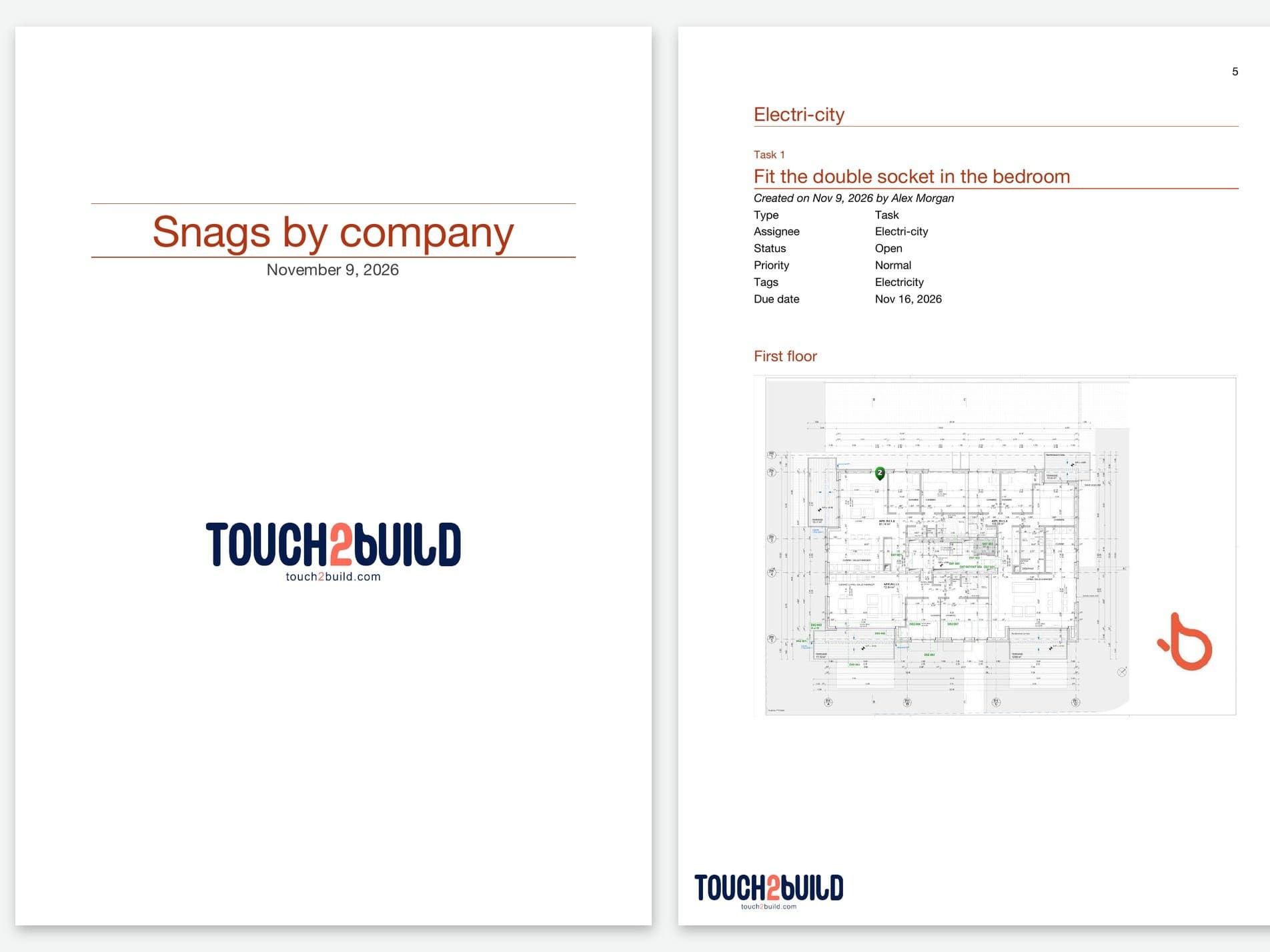
With Touch2build, the site minutes are built during your visit, not after. Each photo, each observation, each task you enter in the field feeds your report directly.
When you finish your round: one click. The software generates a complete, formatted document, ready to send, before you even leave the site.
What you gain in practice
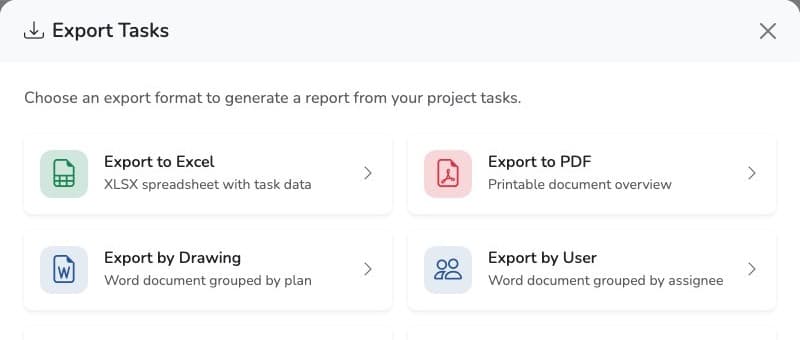
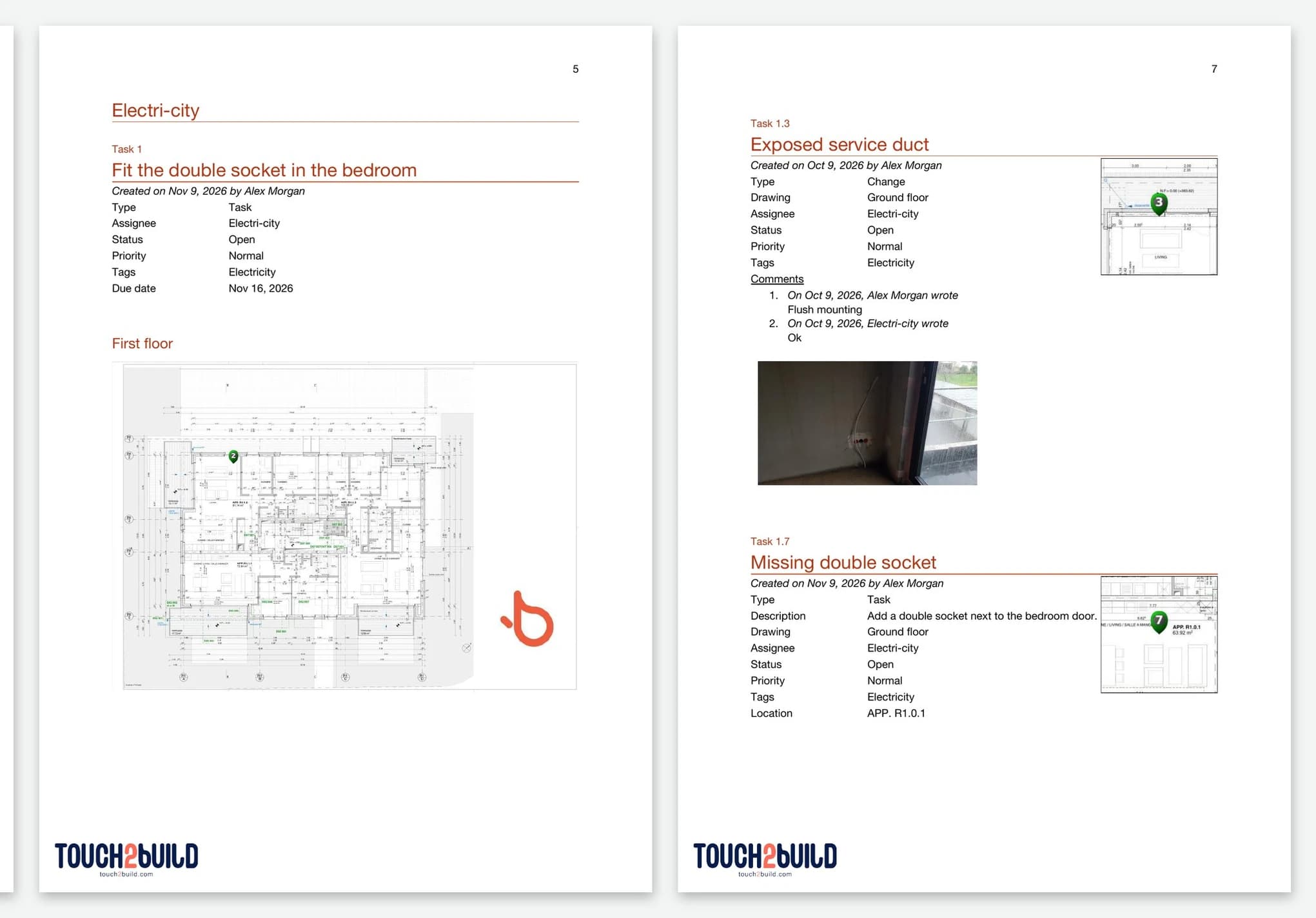
- Minutes exported to Word, Excel or PDF, the format your clients expect
- Photos included with annotations and location on interactive drawings and maps
- Immediate distribution to everyone concerned
- Customisable report templates: one standard format across all your sites
- Task and progress tracking built in: who does what, by when, and how far along
- Security and GDPR compliance
Why it makes a real difference
By automating the creation and updating of your reports and minutes, Touch2build turns an administrative burden into a measurable productivity gain.
Common problem
What Touch2build changes
Excel site minutes vs Touch2build
Many construction professionals still use Excel for their site minutes. It is familiar and it is free. But it is also slow, fragile and isolated.
Prefer to start with a spreadsheet? Download our free Excel site minutes template, then move to Touch2build when Excel gets too heavy.
| Excel minutes | Touch2build | |
|---|---|---|
| Writing time | Written by hand for every visit | Generated in 1 click |
| Photos | Inserted by hand, heavy file | Captured and added automatically |
| Location on drawing | — | Each observation pinned on the drawing |
| Export formats | .xlsx only | Word, PDF, Excel |
| Field access | Hard on mobile | Mobile app |
| Traceability | None: the file can be edited with no history | Full, timestamped history |
Frequently asked questions
Which report formats are available?
How long does it take to learn Touch2build?
Do my subcontractors have to pay?
Is there free site minutes software?
What software should I use to write site minutes?
Site minutes software such as Touch2build lets you enter your observations during the visit, on mobile or tablet: annotated photos, snags located on the drawing, people involved and due dates. The minutes are then generated automatically: a detailed Word report, by drawing or by person involved, with photos and drawings, also exportable to PDF or Excel.
Is there an app for site minutes?
Yes: Touch2build is a site minutes app for smartphone and tablet, available on the App Store for iPhone and iPad and on Google Play for Android, and accessible from a browser on a computer. In the field, you enter annotated photos, observations and snags directly on the drawing, even without a network thanks to offline sync. As soon as your data is synced, the full Word report, or its PDF and Excel exports, is generated in 1 click.
What site minutes software suits a lead designer?
As lead designer, you run the site meetings and send minutes to all the companies. With Touch2build, during the visit you note the observations and snags for each package, pinned on the drawing with a photo, the company concerned and a due date. The report is generated by drawing or by person involved: you send each company what concerns it. Companies and subcontractors invited to the project access it for free. See also Touch2build for architects.
Can I write site minutes on mobile, without a network?
Yes for entering data: the Touch2build mobile app works offline, so you take your notes, photos and snags without a connection. The minutes themselves are generated by the server: the full Word report (or its PDF and Excel exports) is available as soon as your data is synced, once the network is back.
Is there a free Excel site minutes template?
Yes, we offer a free Excel site minutes template: attendees, progress by package, observations and snags, decisions, next meeting.
Try Touch2build for free
Test the application for 30 days, with no credit card and no commitment. See for yourself how Touch2build can change the way you run your sites.
Start my free trial- 30-day free trial
- Responsive support
- No credit card
- Cancel at any time