
Site app for construction subcontractors
Better informed, better done.
Up-to-date drawings, assigned tasks, snags to clear: everything you need to know is in your pocket.
30-day trial, no credit card

A clear mobile app made for field professionals.
You do good work. The problem is everything else.
A drawing changed at the last minute and not passed on? A day lost. A snag forgotten? You get called back a week later. With Touch2build, you have all the up-to-date information before you even reach the site.
Before Touch2build
Instructions received too late, mistakes that repeat, and days lost to a simple oversight.
With Touch2build
Up-to-date drawings, clear tasks and automatic reminders: you always know what to do, where and when.
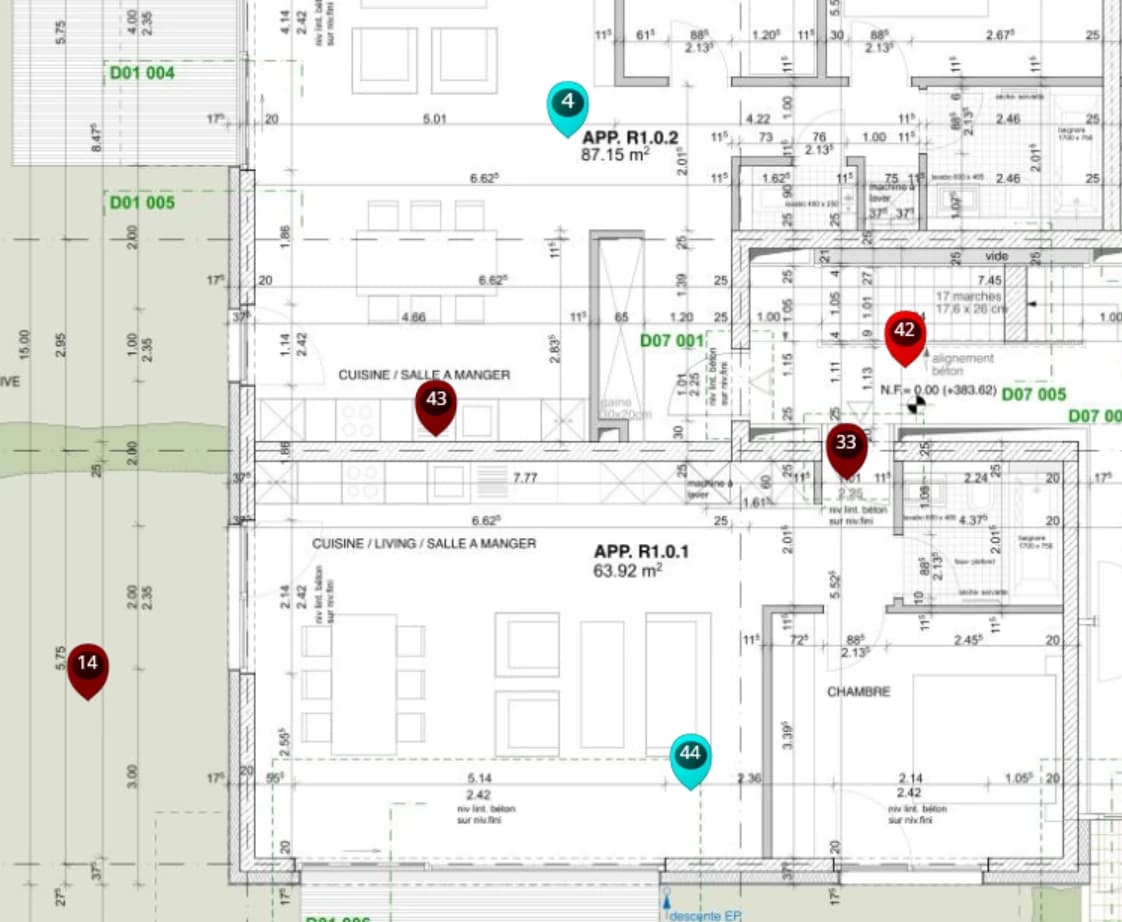
No more oversights, calls and endless emails.
Touch2build makes life easier in the field, and gives the end client a professional impression.
Information scattered across calls, texts and emails
Everything is in one mobile app. Your drawings, tasks and photos are always available, even offline.Forgotten snags or tasks
Automatic checklists and clear follow-up of snag clearance. Get a reminder until it is fully closed. Nothing slips through.
Work smoothly, from the office to the site.
All your information, drawings and tasks, together in a single mobile app. With Touch2build, every job becomes simpler, quicker and better coordinated.
Plan and follow your work
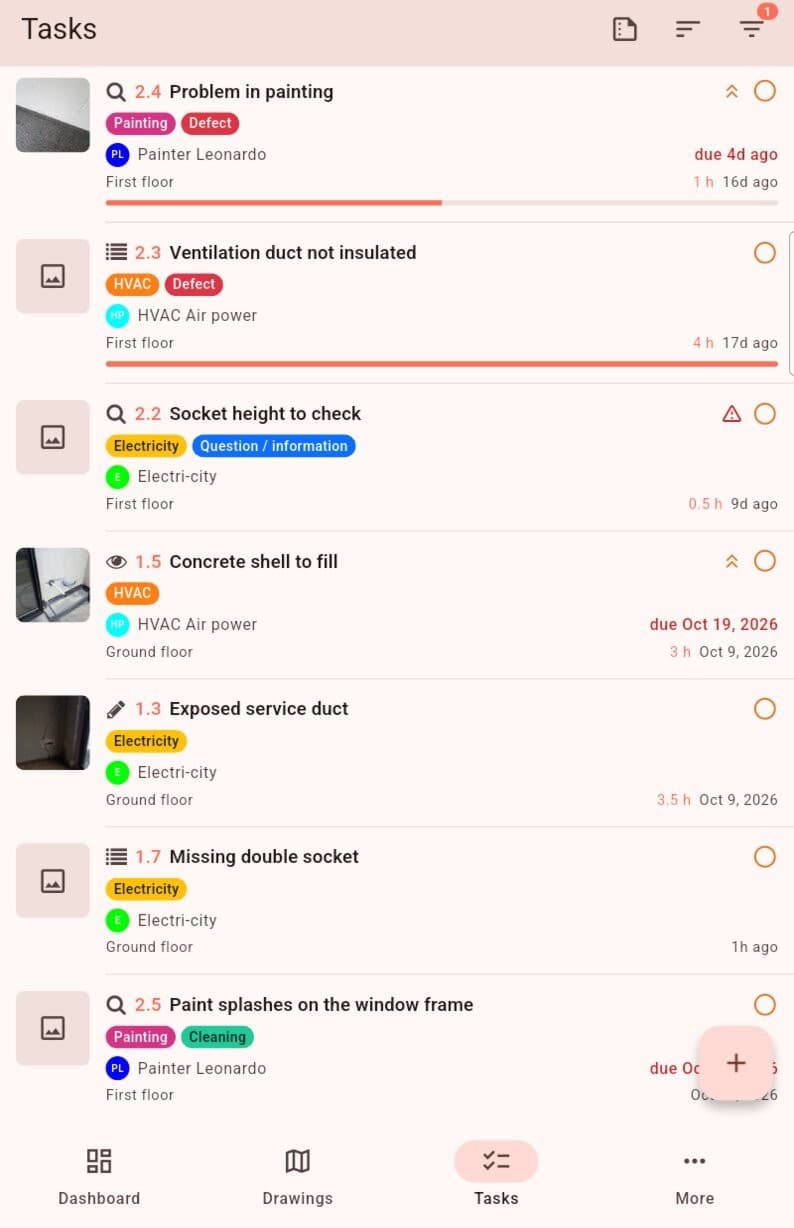
Create your tasks, assign your teams and keep a clear, real-time view of site progress.Generate your reports automatically
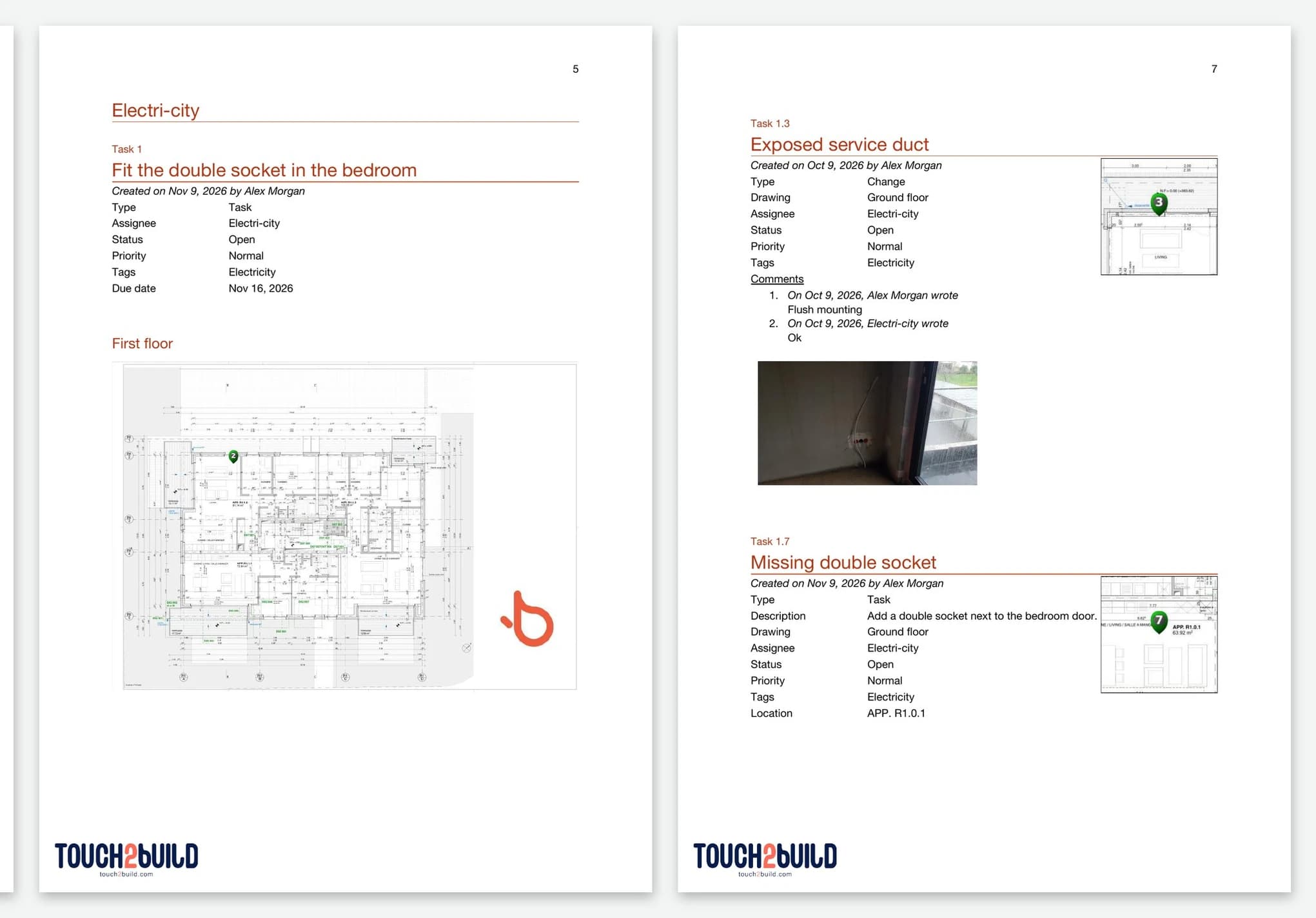
Your Word reports, on your own template, are created in 1 click from field data (PDF and Excel too). Less paperwork, more control.
The right tools to work quickly, well and without confusion.
Every function in Touch2build is designed for building professionals.
Simple to use, useful from the first day and reliable in all conditions.
Simple to use, useful from the first day and reliable in all conditions.
Automatic reports
Generate your minutes in 1 click.
Your photos, comments and statuses are added automatically, with no retyping.
Included:
- Simple templates that fit your trade
- Automatic timestamps
- Instant sending by email
- Secure archiving for your evidence
List of jobs
See all your tasks on one screen. Sort by priority, by site or by date. A clear view to organise your days better.Drawing and change history
Always see the latest version of the drawing and find earlier versions, with your tasks in the right place.Follow the snags to clear
See the list of snags that concern you and tick them off as you go. Your clearances are instantly visible to the project manager and the client.Visibility of overall progress
See at a glance where the site stands. Progress, tasks under way, open snags: you know where your package sits in the whole project.
How does a subcontractor access site drawings on mobile?
With Touch2build, no more bulky or out-of-date paper drawings. As a construction subcontractor, you instantly get the latest versions of the drawings on your smartphone or tablet. You can zoom in on technical details and locate your work precisely, which greatly reduces the risk of errors in execution.
Do I need to install an app or pay to see my tasks?
No. The company that gives you the work can send you a link to your tasks: it opens in the phone's browser, with no account or password. You see each task on the drawing with its photos, you reply "Done" (with a photo if you wish) or "Not for me", and you can view it in your own language. The app, free on your clients' projects, remains useful for working offline or following several sites.
How do I report progress on my tasks in real time?
The application makes it easy to update site progress. In one click, you can mark a task as "resolved" or report a blockage. This information goes straight to the site manager or the architect, avoiding needless calls and trips back to the office to write activity reports.
How do I make snag clearance simpler for a tradesperson?
Touch2build keeps all the snags and non-conformities that concern you in one place. You get a notification as soon as a snag is created. Each point is geolocated on the drawing with a photo and a precise description. Once the work is done, you take a photo of the repair and change the status: the snag clearance is documented and confirmed without ambiguity.
Does the application work in areas with no network (basements, dead zones)?
Yes. Touch2build was designed for real building conditions. Offline sync lets you see your tasks and enter your observations even without Wi-Fi or 5G. As soon as you are back in range, all your data syncs automatically with the rest of the team, so your site follow-up carries on without a break.
Try Touch2build for free
Test the application for 30 days, with no credit card and no commitment. See for yourself how Touch2build can change the way you run your sites.
Start my free trial- 30-day free trial
- Responsive support
- No credit card
- Cancel at any time