
Annotated, geolocated site photos
Every image becomes clear, usable evidence
30-day trial, no credit card

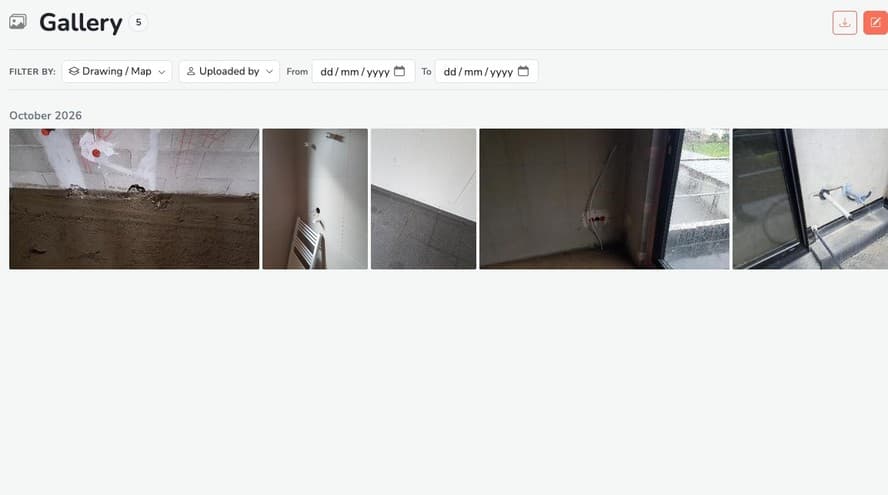
Smart organisation
Each photo is filed automatically in your snag list.
You can comment on it, sort it or link it to a precise check point to keep perfect traceability.
Your photo records become a true visual dashboard.
Precise, shared annotations
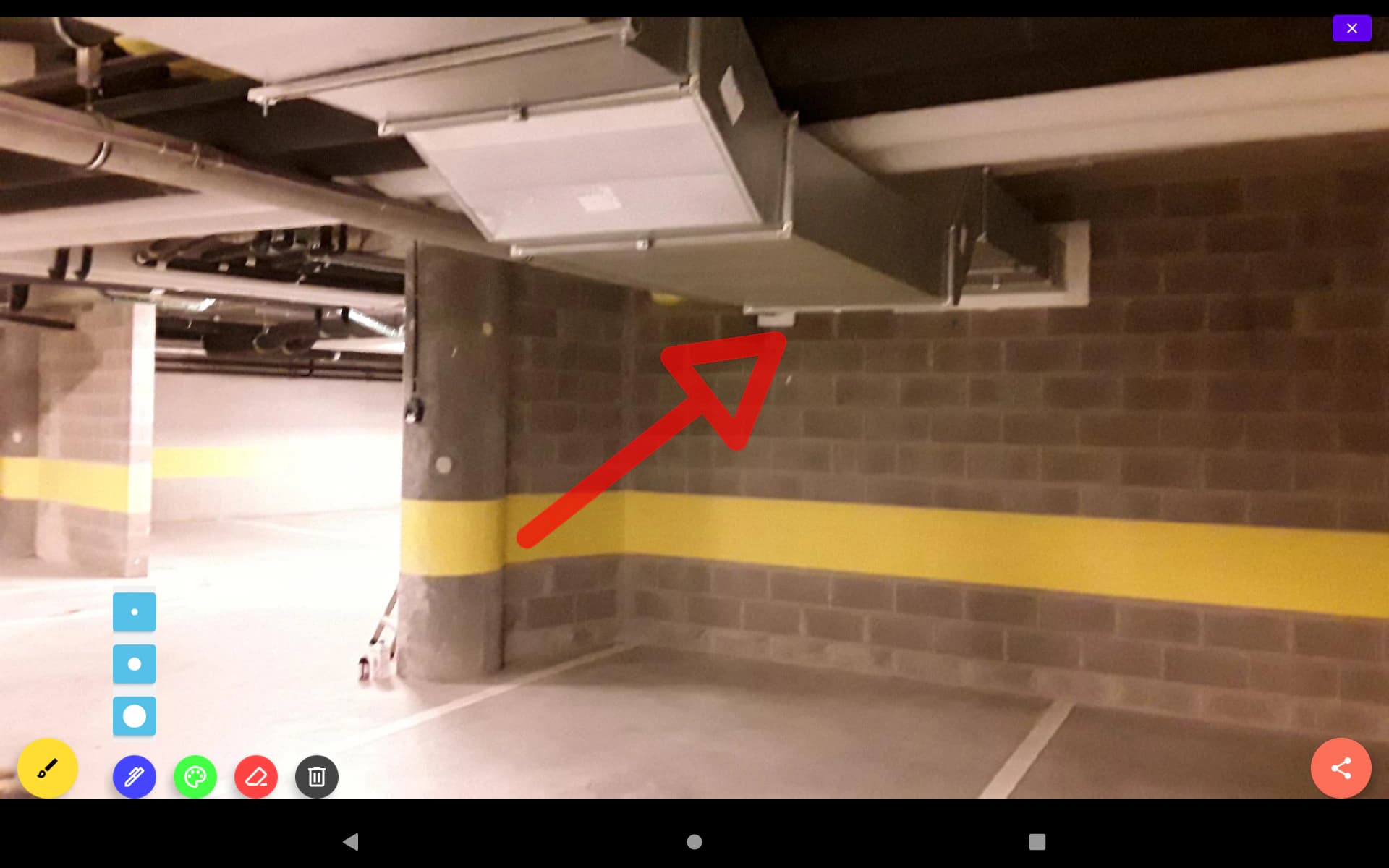
With the built-in annotation tool, circle, point with arrows or draw straight on your images.
Highlight defects, measurement points or work to be done.
Clear, unambiguous visual communication between teams.
Why it makes a real difference
By turning every photo into usable data, Touch2build makes communication easier, makes reports more reliable and strengthens the traceability of work.
Common problem
What Touch2build changes
The site photo, from shot to proof
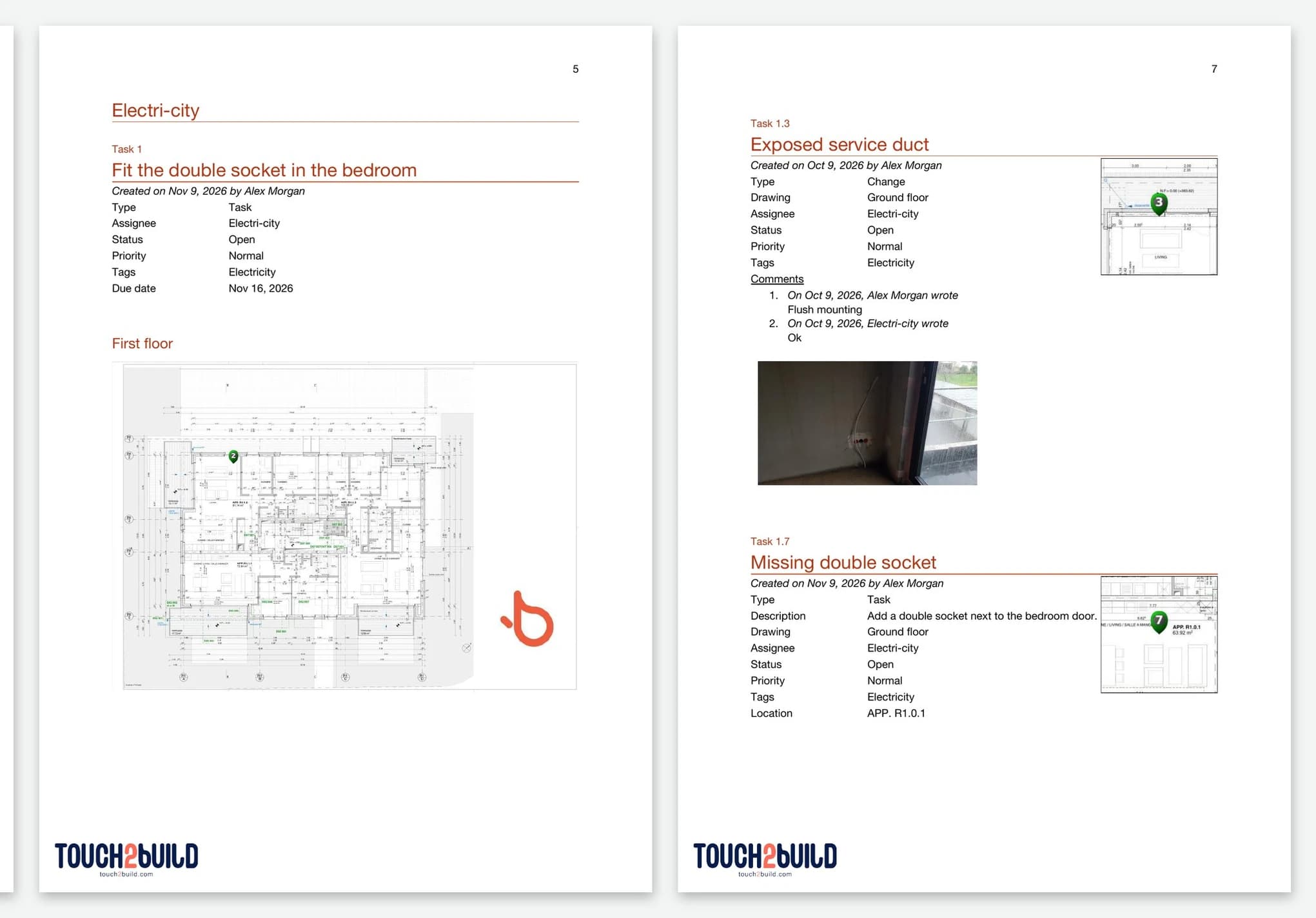
A site photo is only worth something if you can find it, and if it proves something. Touch2build files each photo automatically under the snag or task it belongs to, with the date, the author and its location in the project. Your images stop sleeping in phone galleries.
How do annotations work?
Circle, point with arrows or draw straight on the image to highlight faulty work, a defect or a point to watch. The annotation is visible to the whole team, which avoids ambiguous descriptions. That matters for inspection companies as well as for snag clearance by contractors and developers.
Can the photos be used in reports?
Yes, that is the heart of the system: each annotated photo goes automatically into your site reports, with its context. The photo report that used to take an evening is generated in a minute.
And without a network?
Take your photos as usual: they are stored on the device, then synced as soon as the signal returns, in original quality. See offline sync.
Try Touch2build for free
Test the application for 30 days, with no credit card and no commitment. See for yourself how Touch2build can change the way you run your sites.
Start my free trial- 30-day free trial
- Responsive support
- No credit card
- Cancel at any time